
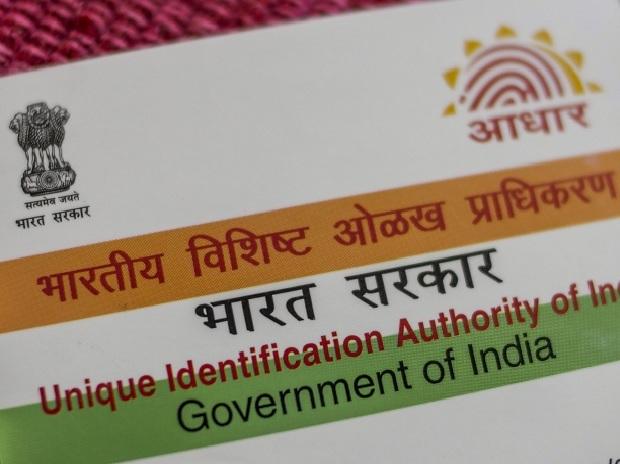
View your Aadhaar authentication history safely online. Track biometric & OTP usage, spot suspicious activity, and protect your identity in 2025.
Aadhaar forms the foundation of India’s digital identification layer. It literally handles everything, including social welfare benefits, SIM activation, and bank KYC. You can no longer avoid monitoring who is certifying your Aadhaar, when, or whether someone, anywhere, is verifying your identity online due to its widespread use. Since the Supreme Court’s ruling, UIDAI has made it simple for all residents to view their Aadhaar authentication history for the last six months. You can use this to spot questionable conduct before it causes problems.
Your number’s biometric or demographic verification efforts, as well as any OTP attempts, are listed in the log. It’s an excellent habit to periodically review this history if you frequently use Aadhaar for banking, insurance, or government services. As long as your phone and Aadhaar are connected, it is quick, safe, and functional.
Also read : Vivo X Fold 6 Rumors: 200MP Camera, Snapdragon 8 Gen 5, and Side Fingerprint Sensor
Why the history of your Aadhaar authentication is important
Aadhaar is used in countless behind-the-scenes applications, including digital signatures, eKYC, subsidies, insurance onboarding, and EPF services. Despite the stringent regulations that service providers are expected to adhere to, authentication requests may nevertheless take place covertly and without your awareness.
From gmail-auth-history/blinry Seeing your authentication history gives you:
- A record of the times you used your Aadhaar
- A way to identify mistakes or re-tries
- Notification in advance about data misuse or obsolescence that is stored with service providers
Checking sometimes is the best method to stay informed because UIDAI only keeps logs for six months.
Things you must have before beginning
- Aadhaar’s 12-digit number or the 16-digit Virtual ID (VID)
- Access to the registered cellphone number in order to obtain the OTP
You cannot use an unregistered number to see the logs.
How to view your history of Aadhaar authentication
Take the following actions on the UIDAI website:
1.Access Aadhaar Services by visiting the UIDAI website.
2. Select “Authentication History” from the menu.
3. Enter either your VID or your Aadhaar number.
Also read: Samsung Galaxy XR Glasses SM-O200P Leaks: Camera, Wi-Fi, Mobile Data & 2026 Release
4. Enter the security code.
5. Select Send OTP and input the one-time password that was texted to the phone number you registered.
6. Select a time frame, up to six months.
7. Choose the kind of authentication, or select All to view the complete list.
8. Press the Submit button to create your activity log.
9. Go over each request’s date, time, type, and status in the entries.
If you want to maintain a record, you can snap screenshots or save a log of the conversation. Flag It: As soon as you notice anything questionable, notify the service provider. You may also want to consider locking your Aadhaar biometrics through the mAadhaar app or the UIDAI web.