
Apple’s iOS 26 had bugs. iOS 26.1 Beta 3 fixes them and is for developers/Beta testers. iOS 26.2 will release soon for all eligible iPhones.
Apple has recently released iOS 26, and users have encountered flaws and issues since the initial update. Apple has recently released the iOS 26.1 Beta 3 update, which includes several problem and issue fixes. If you are a developer or have enrolled in the iOS Beta Program, you can update your device directly to activate it. The iOS 26.2 update will be accessible to all iPhones that are eligible for the update. The following is a concise guide on how to acquire and install the update on your device.
Apple iOS 26.1 Update
iOS 26.1 is the third beta version of the company that developers can install. iPadOS 26.1, macOS Tahoe 26.1, tvOS 26.1, and visionOS 26.1 are also included in the distribution of iOS 26.1. This beta version is disseminated immediately following the second beta release, which occurred one week prior.
Details of the Apple iOS 26.1 Beta 3 Update
One of the most significant additions to this update is Apple Intelligence. Macrumors reports that this update introduces Apple Intelligence support in the following languages: Danish, Dutch, Norwegian, Portuguese (Protugal), Traditional Chinese, Swedish, Turkish, and Vietnamese.
Also read: Google Set to Invest ₹87,520 Crore to Establish Major AI Hub in India
Additionally, the iOS 26.1 update has enhanced the Airpods Live translation system, which will now support additional languages, including Japanese, Italian, Korean, and Chinese (both traditional and simplified).
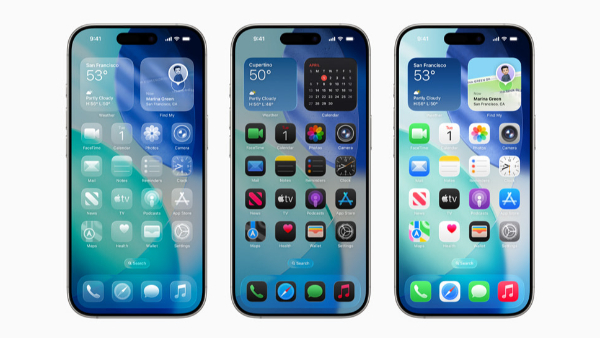
Additionally, this update enhances the visual appeal of iOS 26.1 and smooths out the experience of daily duties. The Liquid Glass effect has been incorporated into the keypad of the Phone app. A novel swipe gesture support has been implemented to facilitate the seamless transition between tracks. The visual modifications are also implemented in the Calendar, Safari, and Photos.
How can you download and install the iOS 26.1 Beta 3 update on your iPhone?
The procedure of downloading and installing the iOS 26.1 Beta 3 update is relatively simple. The following actions should be taken if you have enrolled in the beta program:
Step 1: Navigate to the Settings menu.
Step 2: Select “General.”
Step 3: Subsequently, select Software Update.
The new software update can be installed on the eligible device from this point.
Compatibility List for iOS 26.1 Beta 3 Update Devices
The iOS 26.1 update will be accessible to all iOS 26-supported devices that have participated in the iOS beta program. The iOS 26 update is available for the iPhone 11 and subsequent models, including the iPhone SE 2 and the most recent iPhone 17 series.